
Microsoft 365 Tenant Risk Reviews: How MSPs Reduce AI-Driven Security Risks
A Microsoft 365 tenant risk review examines the internal settings protecting a business’s identities, email, files, applications, devices, and data. Public signals and license information can support an initial screen, but a complete review requires authorized access to the tenant, limited to only what's necessary. A qualified MSP can identify misconfigurations, prioritize remediation, and monitor drift. At no cost to the business, Xplifi matches organizations with vetted MSPs that understand Microsoft 365 and their industries.
Microsoft secures the cloud platform, while each organization controls its users, permissions, policies, applications, devices, and sharing. Those choices must fit its risks, workflows, licensing, and obligations.
Licensed does not mean enabled. Enabled does not mean configured correctly. Configured does not mean monitored.
What Is a Microsoft 365 Tenant Risk Review?
A Microsoft 365 tenant risk review is an authorized assessment of the configuration and operating practices protecting an organization’s Microsoft 365 environment.
A tenant is the organization’s dedicated cloud environment for identities, licenses, policies, applications, email, collaboration, and administration. The review may also be called a Microsoft 365 security assessment or tenant security audit. It is not a penetration test, Microsoft certification, or guarantee.
A useful deliverable includes an executive summary, findings, risk ratings, a remediation roadmap, licensing limitations, retesting, and monitoring.
Can Public Microsoft 365 Information Tell Me Whether My Tenant Is Secure?
Public information can reveal a limited set of external signals, but it cannot confirm most internal Microsoft 365 security controls.
An external screen can identify email records, exposed domains, and other clues. License-tier inference, an estimate of capabilities a company might own, remains provisional.
| Review Type | What it may reveal | What it cannot reliably confirm |
|---|---|---|
| Public configuration review | Email records, domains, visible services, and tenant clues | Mutli-factor authentication (MFA), Conditional Access, admins, guests, apps, sharing, devices, or alerts |
| License-tier inference | Capabilities the organization may own | Exact plans, assignments, activation, exceptions, or configuration |
| Authorized tenant review | Internal identity, app, sharing, logging, device, and security settings | Context or risks outside Microsoft 365 |
An authorized review confirms licenses, assignments, settings, and coverage. Public checks are a starting point.
Does My Microsoft 365 License Include the Security Controls My Business Needs?
The answer depends on the organization’s subscription mix, add-ons, user assignments, risks, and compliance needs, not simply the plan name.
Microsoft 365 and Microsoft Entra plans provide different identity, endpoint, email, auditing, and data-protection capabilities. A feature may be unassigned, disabled, partly deployed, or weakened by exceptions. Another product may provide a compensating safeguard.
Microsoft Secure Score provides posture measurements and recommendations, but does not cover every attack surface or guarantee security. Licensing alone is insufficient. Controls must be assigned, configured, adopted, and monitored.
What Security Risks Should a Microsoft 365 Tenant Review Check?
A tenant review should examine how identities, privileges, communications, data, applications, devices, and monitoring work together.
| Review area | What MSP should examine | Example business risk |
|---|---|---|
| Identity and MFA | MFA, authentication, legacy sign-ins, emergency accounts, and exceptions | Account takeover |
| Conditional Access | Coverage, exclusions, device and location conditions, and conflicts | Protection is bypassed |
| Privileged access | Admin roles, standing privilege, service accounts, and stale admins | Tenant-wide exposure |
| Users and guests | Dormant accounts, departed users, guests, shared accounts, and access reviews | Former users retain access |
| Email security | Anti-phishing, impersonation, forwarding, inbox rules, authentication, and payment checks | Redirection or impersonation fraud |
| Applications and OAuth consent | Enterprise apps, publishers, consent, permissions, and unused integrations | Mail or file exposure |
| SharePoint, OneDrive, and Teams | Anonymous links, sharing defaults, guests, permissions, and stale content | Unintended data exposure |
| Data protection | Labels, retention, Data Loss Prevention(DLP), encryption, and regulated-data handling | Improper data handling |
| Devices and endpoints | Enrollment, compliance, protection, unmanaged access, and device response | Compromised-device access |
| Logging and response | Audit retention, risky sign-ins, mailbox audits, alerts, and recovery | Suspicious activity is missed |
| AI and Copilot governance | Copilot readiness, oversharing, AI inventory, permissions, third-party AI, DLP, and shadow AI | AI surfaces overshared data |
Controls should reflect operations, licensing, data sensitivity, and regulation. A Microsoft 365 misconfiguration and cybersecurity assessment should translate findings into business consequences.
Why Do AI-Driven Cyber Threats Make Microsoft 365 Reviews More Urgent?
AI makes established attacks faster, more scalable, and more convincing, while connected AI applications can make information reachable through existing permissions easier to find and reuse.
Attackers Are Using AI Against Microsoft 365 Users
AI helps attackers personalize phishing, imitate executives or vendors, automate reconnaissance, and reinforce fraud. According to the Microsoft Digital Defense Report 2025 28 percent of observed breaches began through phishing or social engineering, and the report finds AI phishing three times more effective than traditional campaigns
Training matters, but businesses also need identity controls, limited privilege, application review, safer sharing, detection, and independent verification. These are cybersecurity essentials every business should review.
AI Tools Can Amplify Existing Data-Governance Weaknesses
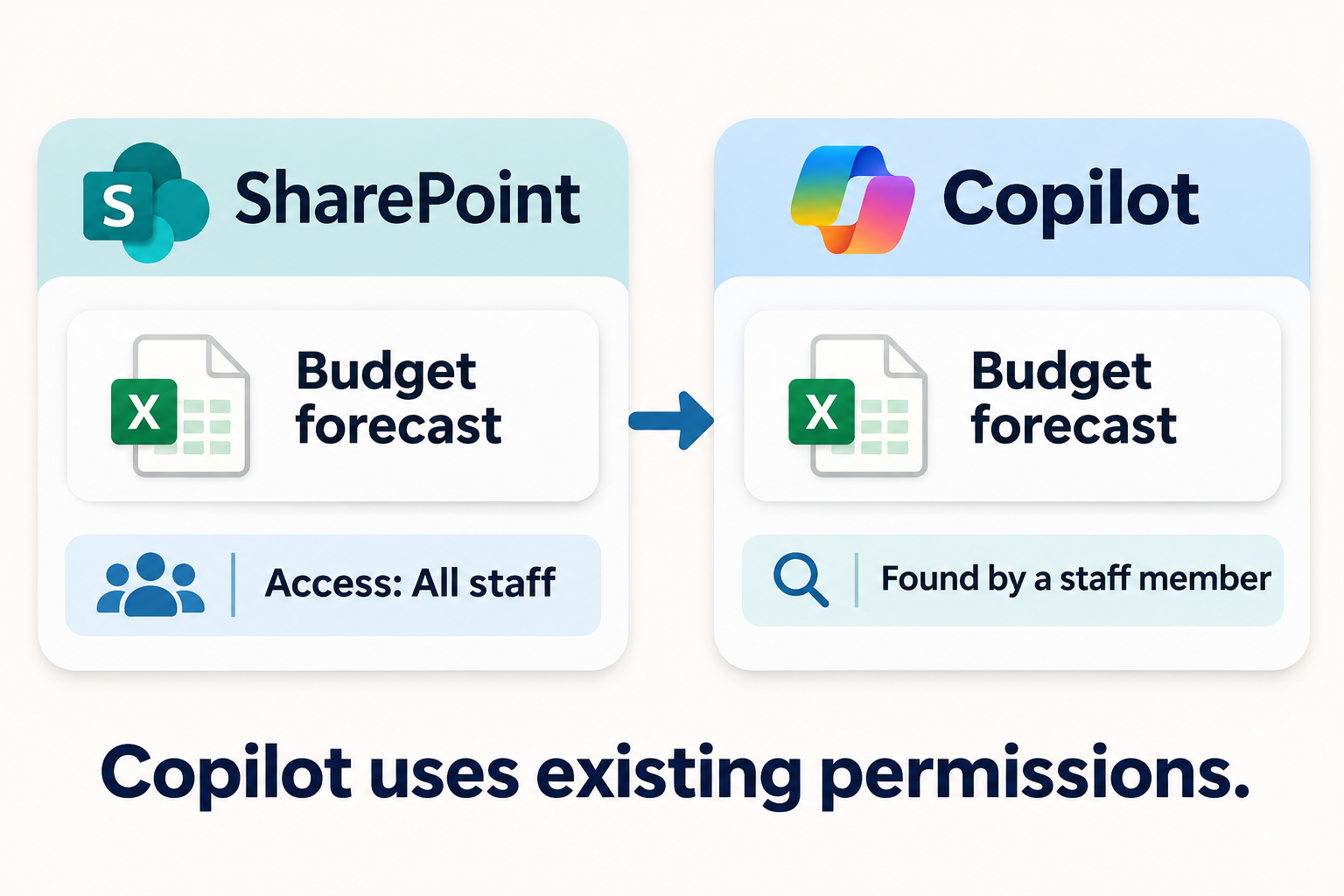
Microsoft explains that Copilot accesses only data the user is authorized to access. It does not bypass permissions. However, existing access may be too broad, while AI makes overshared information easier to reuse.
Third-party AI apps may request additional permissions. Before adoption, review identity, OAuth consent, site access, sharing, classification, retention, DLP, and shadow AI.
Why Does a Microsoft 365 Tenant Review Require Delegated Access?
Most meaningful tenant controls are not public, so the business must explicitly authorize a reviewer to read the relevant internal settings.
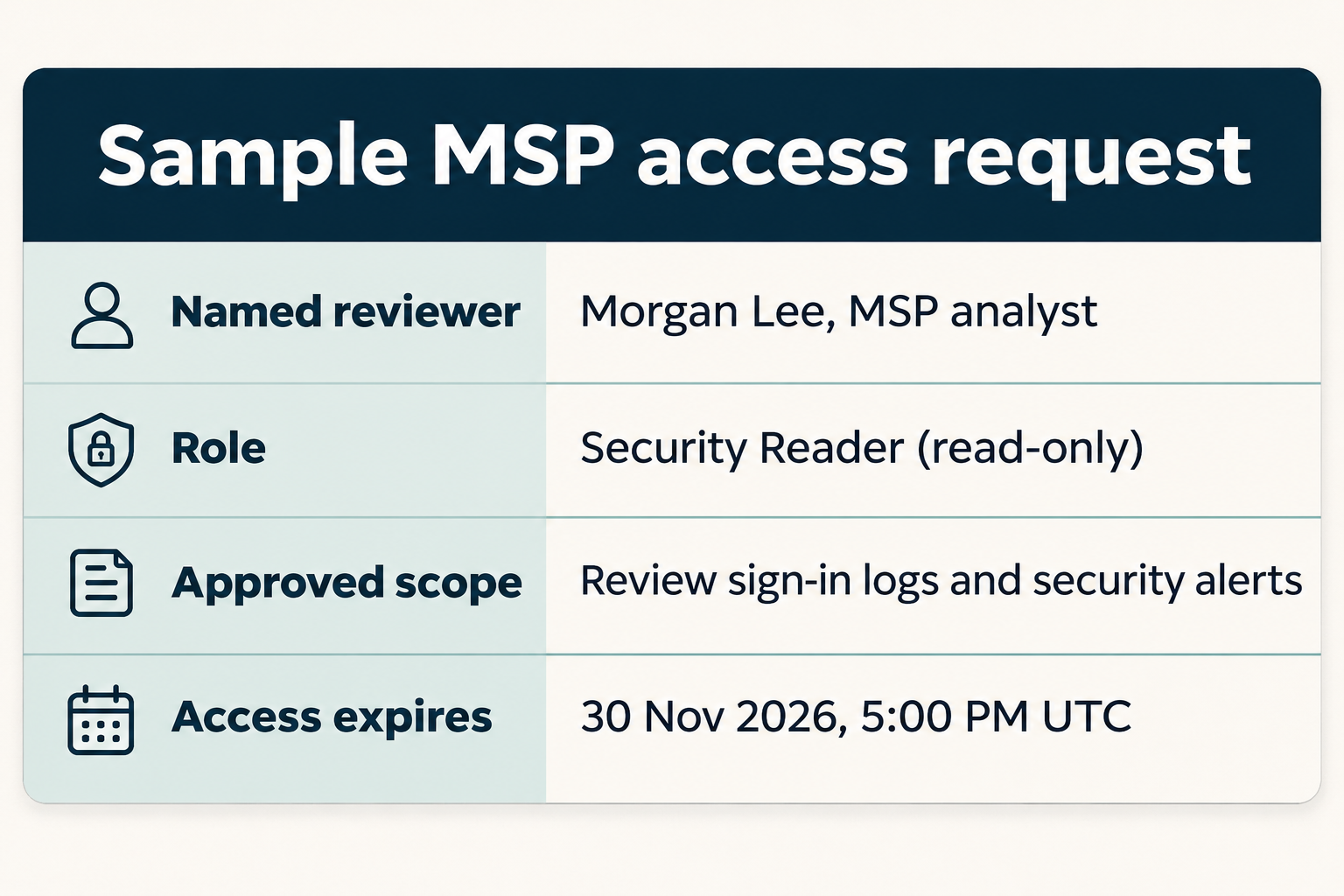
Delegated access lets a provider perform defined work in the customer’s environment. Avoid shared passwords and unrestricted control. Use documented scope, read-only roles, named accounts, MFA, logging, and time limits. Approve changes separately and revoke access afterward.
For eligible Microsoft partners, granular delegated admin privileges, or GDAP, provide granular, time-bound access that customers approve. Other reviewers should still use scoped, named access. Global Administrator rights are not always required.
How Can an MSP Improve Microsoft 365 Security After the Review?
An MSP adds value by combining assessment tools with judgment, controlled remediation, documentation, and ongoing management.
The provider should baseline users, licenses, administrators, applications, devices, and essential workflows. Microsoft data, suitable tools, and manual validation distinguish genuine exposures from findings needing context.
The MSP should connect findings to account takeover, fraud, data exposure, downtime, and incident response. It should separate urgent exposures from strategic work, then test and stage approved changes.
Afterward, the provider should retest and document risks. Monitoring can detect configuration drift, when settings move from the approved baseline. Before AI expansion, reassess permissions, oversharing, DLP, application access, and governance.
Why Should My MSP Have Experience in My Industry?
The same Microsoft 365 setting can create different consequences depending on an organization’s data, workflows, regulations, users, and outside partners.
Construction firms may rely on job-site devices, subcontractor guests, and project sharing. Legal and financial firms may prioritize confidential records, wire verification, and retention. Healthcare organizations must consider protected information and shared workstations.
An industry-experienced MSP can correct settings without disrupting essential work. Xplifi can identify MSPs for professional services and other specialized sectors.
What Should I Ask an MSP Before Granting Microsoft 365 Access?
Ask about scope, permissions, methods, data handling, and follow-up before granting access.
- What services and settings will you review?
- Which roles are needed, and can the assessment be read-only?
- Will access be named, logged, MFA-protected, and time-limited?
- Will changes require written approval?
- How will you validate findings and protect data?
- Can you remediate issues and monitor drift?
How Do I Find a Vetted Microsoft 365 MSP That Understands My Industry?
Xplifi learns about the business’s Microsoft 365 environment, industry, and security needs, then connects it with vetted providers suited to the challenge.
The business shares its size, locations, provider, licenses, compliance needs, and AI plans. Xplifi identifies vetted MSPs with suitable Microsoft 365 and industry experience. The business reviews the matches.
Xplifi’s matching service is free to the business. If you know your license but aren't sure your tenant is secure, get matched with a vetted IT provider that understands your industry and AI-related risks — at no cost to your business.".
Frequently Asked Questions
What is a Microsoft 365 tenant?
A Microsoft 365 tenant is an organization’s dedicated cloud environment for Microsoft services. It contains users, identities, licenses, domains, policies, applications, email, Teams, SharePoint, OneDrive, security settings, and administrative roles. Although Microsoft operates the cloud platform, the customer and its authorized providers manage many tenant-specific decisions affecting access, data sharing, applications, and monitoring.
Can someone assess our Microsoft 365 security without tenant access?
Only partially. A reviewer can inspect public signals such as email-authentication records, exposed domains, and externally visible services. Those checks cannot confirm internal MFA coverage, Conditional Access policies, administrator roles, OAuth grants, guest access, sharing settings, device compliance, or logging. A complete tenant risk review requires authorized, appropriately scoped internal access.
Does a Microsoft 365 security review require Global Administrator access?
Not necessarily. The permissions should match the agreed scope, and read-only roles should be used whenever they provide the required evidence. A provider should explain why each role is needed and use named accounts, MFA, logging, and time limits. Remediation may require different permissions later, but changes should occur only after approval.
What is the difference between Microsoft Secure Score and a tenant risk review?
Secure Score measures adoption of Microsoft security recommendations and helps organizations track posture improvements. A tenant risk review adds manual validation, business context, evidence, risk ratings, and a remediation plan across the agreed scope. Microsoft states that Secure Score does not cover every attack surface and should not be interpreted as a guarantee against a breach.
Are ScubaGear and Maester free Microsoft 365 security tools?
Their core software is open source, but that does not make a professional assessment free. A responsible engagement still requires authorized access, skilled operation, validation of automated results, business-impact analysis, reporting, remediation planning, and retesting. Tool output is evidence for a reviewer to interpret, not a complete security program by itself.
Can Microsoft Copilot expose information that was already overshared?
Copilot can make already accessible information easier for an authorized user to find and summarize. It does not grant that user new permission to restricted content. However, stale links, broad group membership, excessive site access, or weak data governance can make more content available than leaders expect, which is why oversharing should be reviewed before rollout.
How often should a Microsoft 365 tenant risk review be performed?
There is no universal schedule. Begin with a documented baseline, reassess after material changes or suspicious activity, and monitor at a frequency appropriate to the organization’s risk. Relevant changes include a migration, merger, MSP transition, major licensing change, Copilot rollout, new compliance obligation, or significant shift in users, applications, sharing, or administrative access.
How does Xplifi find an MSP with experience in my industry?
Xplifi gathers information about the organization’s industry, Microsoft 365 environment, user base, locations, current IT arrangement, compliance concerns, known risks, and AI plans. It then identifies vetted service providers whose Microsoft 365 capabilities and industry experience fit those needs. The business receives focused matches and chooses whether to move forward, at no cost for Xplifi’s matching service.